GTM 推出 AI 自动生成版本名称与描述功能及实操建议
#GTMTips: Automatically Generate Version Information In GTM
Google Tag Manager(GTM)上线了一项 AI 新功能,可在提交发布或创建版本时根据工作区变更自动生成版本名称和描述。该功能在容器中默认开启,若后续有新修改可点击 Suggest 按钮重新生成,也可以手动切换开关完全停用。作者实测提醒该模型不会穷举所有改动且可能遗漏关键操作,建议仅将其作为初稿并由人工补充关键细节。
该功能能减轻版本命名的负担,但实测显示它容易遗漏批量暂停等关键变更,仍需人工复核补全。

Google Tag Manager has a new, AI-powered feature. It’s not flashy, it’s not prominent, and it’s not something you’d make a big deal out of. However, it contributes to an absolutely vital part of container management that many, many people neglect: version naming.
With this new feature, Google Tag Manager generates a Version Name and Version Description automatically from your workspace changes.
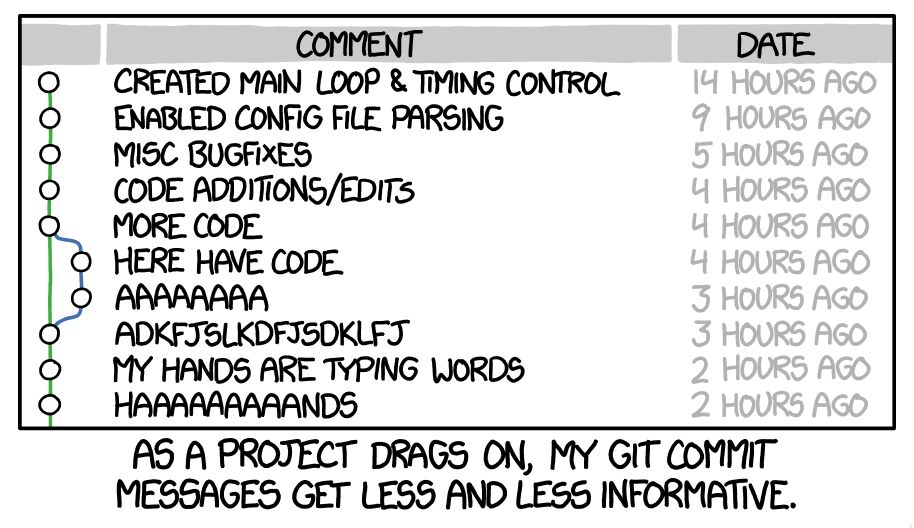
Container versions are often named lazily or not named at all. However, proper naming ensures that the version history is actually useful. Having a consistent log of what was updated makes it easier to review key milestones in the container history, and it also helps avoid this:
The feature is set on by default in GTM containers, and it’s available in the version creation flow. Read on for more details.
X
The Simmer Newsletter
Subscribe to the Simmer newsletter to get the latest news and content from Simo Ahava into your email inbox!
Tip 144: Automatically generate version information
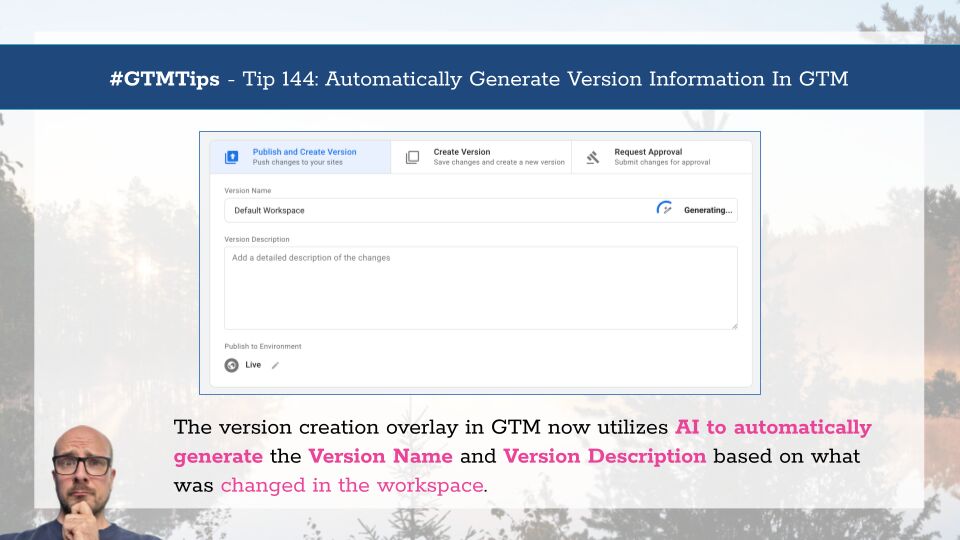
After you’ve made changes (and previewed them) in your container, you typically click Submit to either publish the workspace directly or first create a version of it.
Now you’ll see a new Generating… label in the Version Name field when the overlay first appears.
Once done, it will automatically produce a Version Name and Version Description with a list of things that were changed.
If you make further changes to the workspace or abandon an existing change, a Suggest button appears, which lets you regenerate the metadata.

If you want to disable this behavior and prevent the AI model from generating version metadata, you can toggle the Suggested version summary switch to the OFF position.
Here’s an important detail (applies to all AI generation):
Use this as a starting point! Make sure you review the version name and description, and add any vital changes the generator might have missed. It doesn’t produce an exhaustive list of all that was changed. It seems to focus on what it considers to be the most important and significant changes, but even this might be different from one generation cycle to the next.
For example, in the image above it neglected to mention that I actually paused 29 tags before hitting the Submit button! This seems like a pretty significant deal, but the generator didn’t mention it. So to make it more accurate, I would then manually update the version name and description to include this detail.
AI generation isn’t perfect, but it’s a good starting point to nudge GTM users to better annotate their container versions. Your future self will thank you for this!
What do you think of this feature?
来源:Simo Ahava's Blog · simoahava.com