Bing 宣传关闭搜索 AI 的两种方法,但并非搜索设置选项
Bing Touts Two Methods To Turn Off AI In Search But It's Not A Search Setting
微软再次宣传关闭 Bing 搜索中 AI 功能的两种方法,即安装 Microsoft Bing AI Search Choice 浏览器扩展(预览版)或在搜索词末尾添加“-ai”参数。微软高管 Jordi Ribas 称这是为了让用户自主决定是否使用 AI,但该方法此前已公布过。Bing 过去曾在搜索设置中直接提供关闭 Copilot 的开关,但后来将其移除且至今未恢复原生设置选项。
Home / Bing / Bing Touts Two Methods To Turn Off AI In Search But It's Not A Search Setting

Microsoft announced, again, that there are ways to turn off AI features in Bing Search. We covered it twice before, but the first time we covered it, Bing had a search setting to disable AI Search (aka Copilot) from showing up in Bing. The second time, Bing removed that setting and asked people to download a browser extension or add -ai to the query to disable AI search features.
Jordi Ribas from Microsoft wrote on X "In a nutshell, there are two ways to do this (1) our Microsoft Bing AI Search Choice extension (preview) which lets you toggle AI features with just one click, and (2) adding the “-ai” parameter in any query e.g. try “why is the sky blue” and then “why is the sky blue -ai”."
He admitted it is not new, "Recently, we have received much interest about the ability to turn on/off AI features in Bing, so we have written a blog to explain how it works." And then explained why he is sharing this again, "We enabled these features because we believe everyone deserves a search experience that works for them, including the choice to decide how and when they use AI."
But who is adding -ai as an operator to their search queries and who is downloading a browser extension? Why did Microsoft Bing remove the search setting that can turn off AI features in search, that is the most logical place to put the setting - no?
Of course, Microsoft got what they wanted from re-announcing this feature. I saw several news sites pick this up as a new way to remove AI search features in Bing and praise Bing for offering it. I saw even more mentions of this on social media... And yes, it is great Bing offers a way to turn off AI features.
But I find it weird and maybe even suspicious that Bing had a setting to turn off AI features in search and removed it. It was a feature, here is a screenshot of it from 2024:

The setting reads, "Copilot response on result page: Choose if you want to see Copilot responses on the search result page." And there is another setting that reads, "Scroll to open Copilot: Choose whether you would like Copilot to open when you scroll/swipe up at the top of the page."
Where is that setting? So now I need to download an extension on my browser to do this or remember to append -ai to my queries?
Here is a screenshot of this extension:
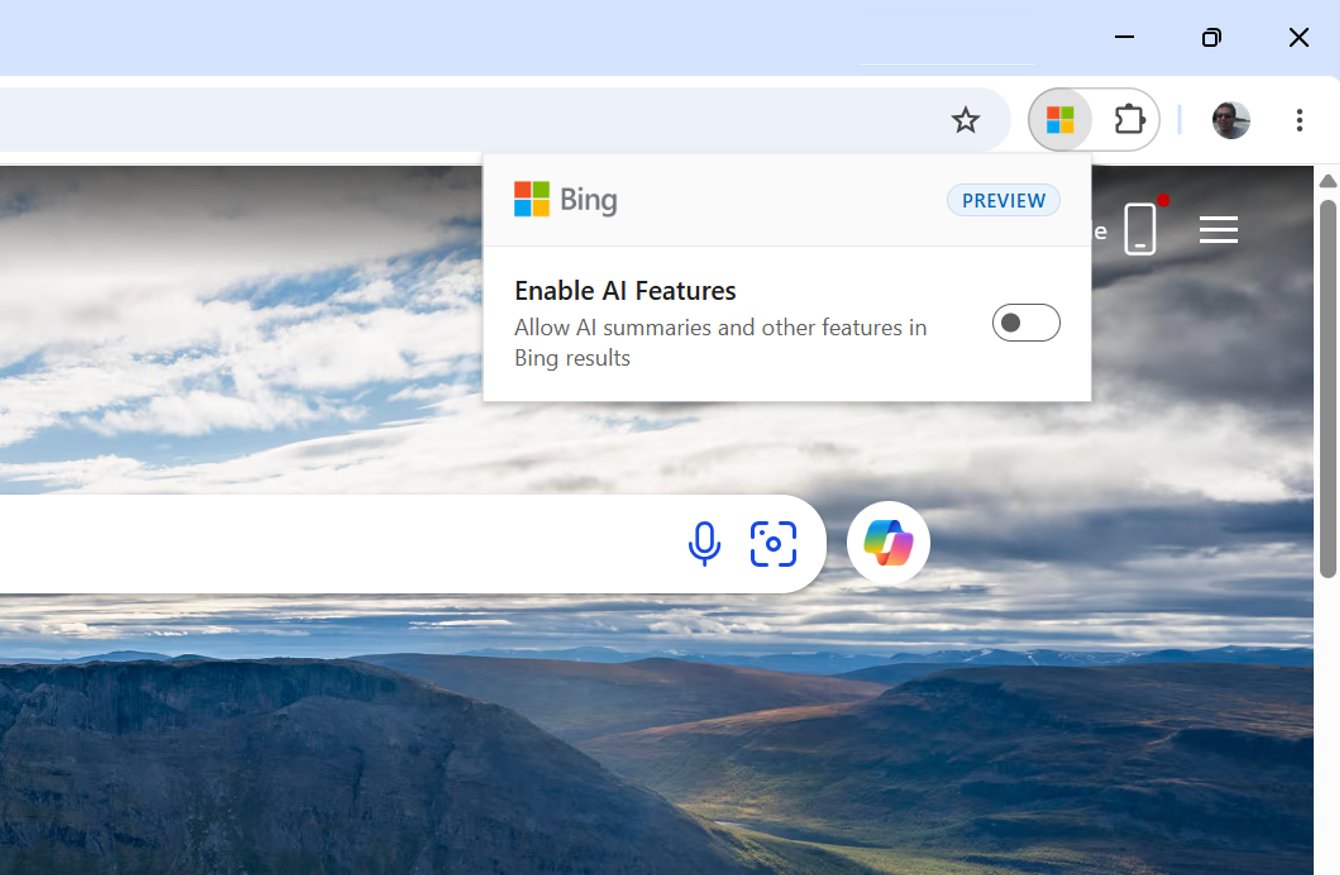
You don't need to use the extension, you can also append -ai to your query to do the same thing. For example, here is a normal query without the -ai:
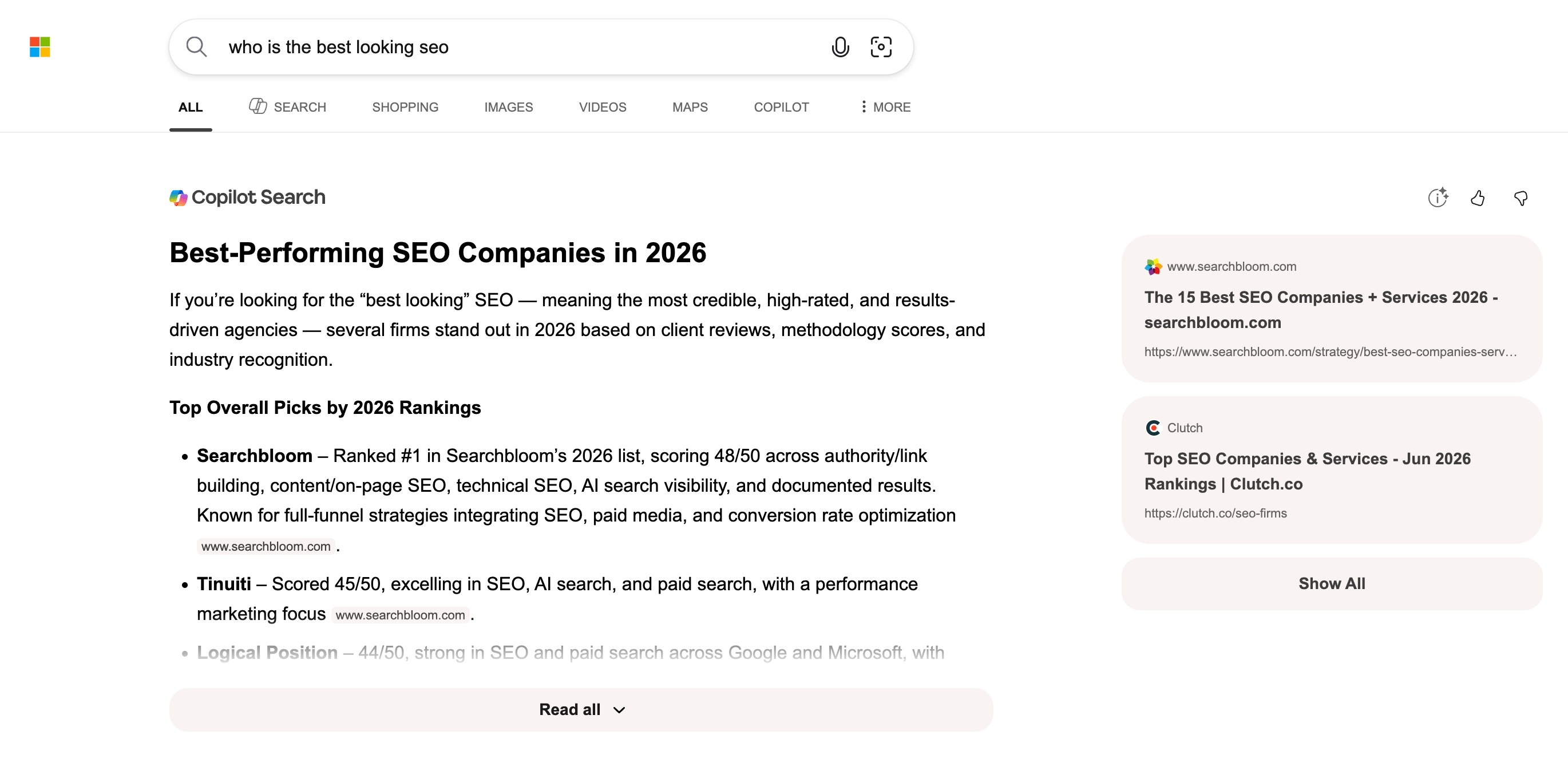
Now the same query with the -ai:
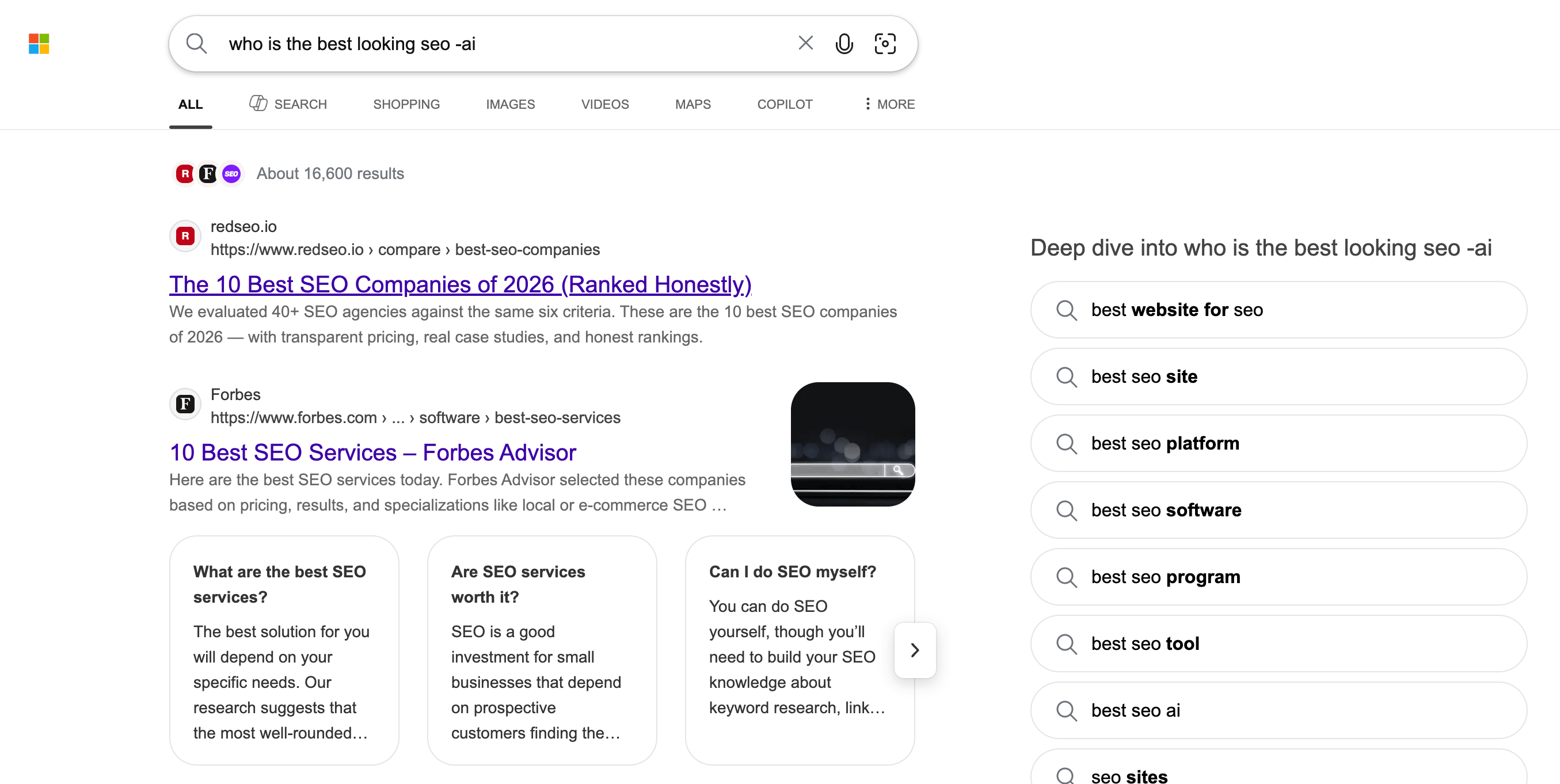
Again, it is awesome Bing offers these methods but why not add it as a setting in the search settings?
Forum discussion at X.
Copied!
来源:Search Engine Roundtable · seroundtable.com